Video editing apps have become a popular tool for professionals and content creators to produce visuals and images for publishing on social media platforms in recent years. These apps create engaging video content to publish on social media platforms. They can also transform raw footage into polished, attention-grabbing content that helps creators resonate with their target audience. Selecting the right video editing app can feel overwhelming with so many options available on the internet.
This article explores information about the top video editing apps. These apps are the perfect solutions for creating social media content. Read this article to learn more!
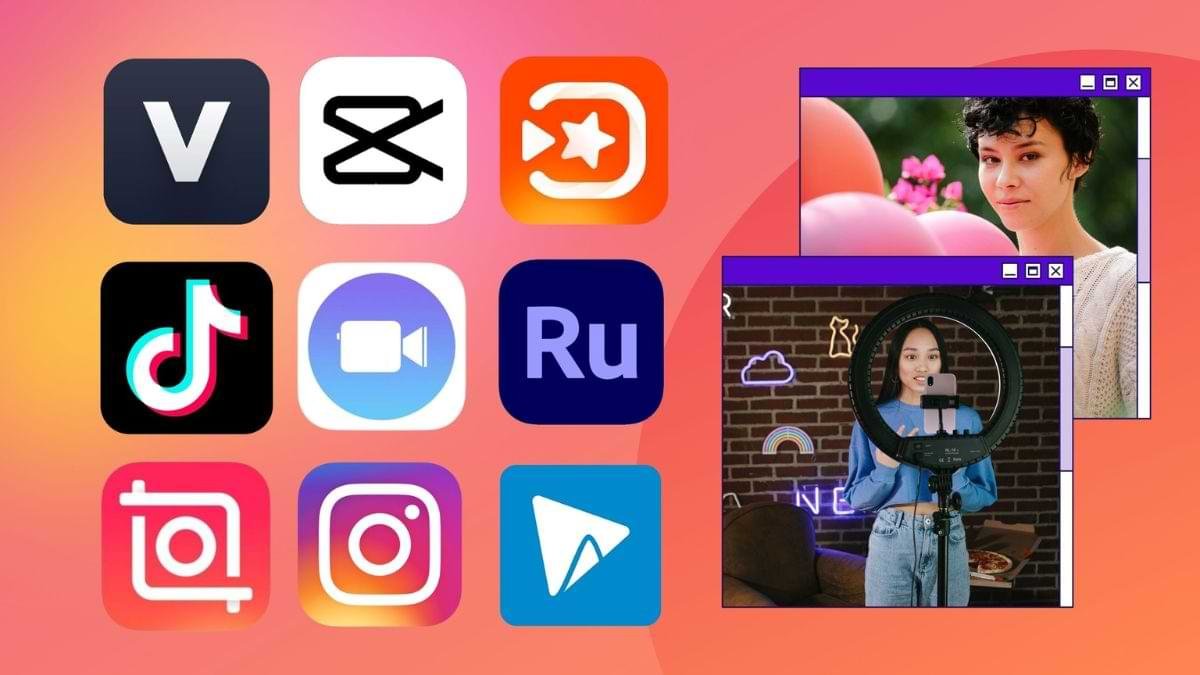
Video editing apps are tools designed to help professionals create engaging video content for social media platforms. They can create short-form videos for TikTok and longer videos for YouTube and Instagram stories. These apps are ideal for beginners, intermediate, and advanced professionals. TikTok, Instagram Reels, and CapCut are popular examples of mobile video editing apps, while Adobe Premiere Pro, Final Cut Pro, Filmora, and DaVinci Resolve are examples of desktop video editing apps.
When we talk about the top video editing apps that suit mobile devices, there are many options available for content creators. Below are the top video editing apps for mobile devices.
TikTok is a popular video editing app that boasts a robust built-in video editor. It is used to create short, engaging videos with trending effects, sounds, and filters. It is easy to use for beginners because it can create visually appealing content quickly. This platform also allows users to directly record, edit, and upload videos without switching between different apps. Known for its ease of use, large library of sounds and effects, it is perfect for beginners.
Developed by the same company as TikTok (ByteDance), CapCut is a free and powerful video editing app for mobile devices. This app offers numerous features, including advanced editing tools like chroma key (green screen), keyframe animation, and various transitions, making it ideal for many creators. It also comes with a large library of music, stickers, and sound effects, enabling you to control their video editing process.
Instagram Reels is also a video editing app for mobile devices. It is similar to TikTok and offers a built-in video editor, making it ideal for creating short-form videos quickly. It offers a wide range of features, including augmented reality (AR) effects, music overlays, and speed controls. Its reels are also useful for individuals and businesses looking to expand their reach on Instagram. At present, Instagram is a popular social media platform for businesses and individuals.
InShot is also a popular video editing app offering numerous features, including music, stickers, adding text, trimming, and cropping. Known for its simplicity and versatility, it is particularly useful for beginners who want to create videos for Instagram. This app also offers additional features like background blurring, video speed control, and filters. It is also available in a free and a paid version.
It is another video editing app for mobile devices. It is a free and user-friendly mobile app that is suitable for both beginners and experienced video editors. This video editing app offers a wide range of features, including multi-track editing, color grading, and keyframe animation. Its top features also enable you to trim, split, and merge videos easily.
As this tool supports exporting videos in high resolution and various aspect ratios, it is suitable for many social media platforms.
KineMaster is a mobile video editing app suitable for professional video editors. It offers an array of advanced features, and it covers chroma key, multi-layer editing, precise volume control, and audio mixing. This app also supports users to export videos in high resolution, including 4K. It is a powerful mobile video editing app for those who need advanced video editing capabilities on their mobile devices.
There are many desktop video editing apps, each offering unique features that enable users to have more power and control over videos. Below are the top video editing apps for desktop.
Filmora is a powerful and user-friendly video editing software that is suitable for beginners and intermediate users. It includes an array of features, like drag-and-drop editing, transitions, special effects, and music. It also comes with a large library of templates and assets that help users create professional-looking videos quickly. This app is available for both Windows and macOS. It also offers a free and a paid version. However, its free version has a watermark.
Adobe Premiere Pro is a great app for professional video editing. It offers a wide range of key features, including advanced editing tools, motion graphics, color correction, and audio mixing. It is available on both Windows and macOS. It is suitable for professional video creators because it integrates with other Adobe Creative Cloud apps like After Effects and Photoshop.
DaVinci Resolve is a notable video editing tool recognized for its advanced color correction capabilities. This tool offers an array of editing tools, including trimming, cutting, music mixing, and motion graphics, enabling professionals to create video content quickly. It is available for both Windows and macOS, and it comes with a free version with numerous features.
When it comes to desktop video editing apps, Final Cut Pro comes to mind. It is Apple’s professional video editing software, recognized for its powerful editing tools, intuitive interface, and optimized performance on macOS. Its outstanding features include advanced color grading, audio editing, and motion graphics, making it a top choice for YouTubers, filmmakers, and other video professionals.
Video editing apps are the perfect tools for professionals and beginners to create engaging social media content. TikTok, Instagram Reels, and InShot are a few examples of video editing apps for mobile devices. On the other hand, Filmora, Final Cut Pro, and Adobe Premiere Pro are video editing software tools for desktop.
This is a guide to video editing apps. For more details about these apps, you may start an online search today.