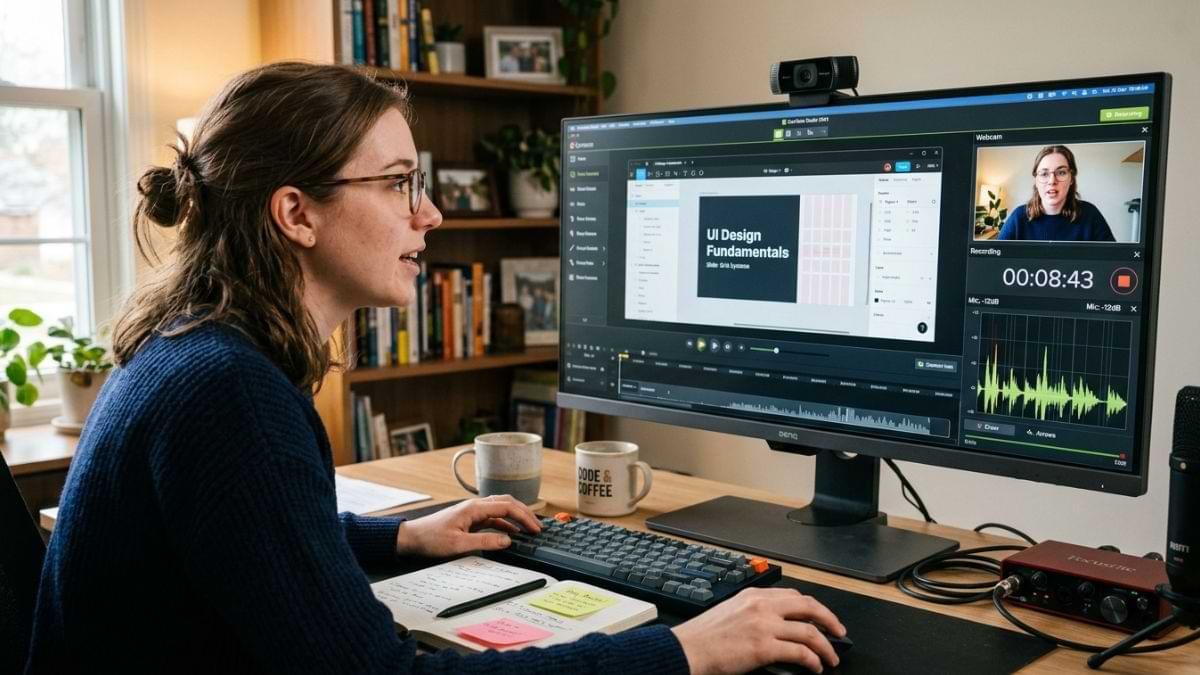
Over the past years, the use of screen recording software solutions has become increasingly popular across all teams. These tools enable teams to capture a computer or mobile device screen and save it as a video file. They are widely used for creating tutorials, recording game walkthroughs, delivering remote presentations, and capturing online meetings. Do you know about the screen recording software tool? Read this blog carefully as it presents valuable details on the screen recording software tools, covering their definition, key features, benefits, and the best options.
Before utilizing the screen recording software, it is essential to understand its functionalities effectively and quickly. Here is information about the screen recording tool.
Screen Recording Software is a computerized tool designed to assist professionals in capturing the visual and audio activity happening on their computer or mobile screen in real time. These tools enable them to generate a shareable video file, making it the perfect tool for those aiming to create video tutorials, online lectures, product demos, and resolve technical support issues without lengthy written explanations.
Here are the most common features of screen recording tools.
Audio Capture
Screen recording tools enable users to record system audio and microphone input simultaneously. This smart approach makes these tools ideal for many professionals.
Annotation Tools
These systems include built-in drawing tools, text highlights, and mouse-click effects that let users emphasize important details while recording.
Webcam Overlay
They also enable users to record themselves using their front-facing camera in a small bubble on top of their screen recording. This excellent approach also makes them the perfect choice for many professionals across all industries.
Instant Sharing
It is another core feature of screen recording software. Many cloud-based tools automatically allow user to upload their recordings and generate a private, shareable web link.
In addition to these, there are many core features of screen recording tools.
Implementing screen recording tools offers a wide range of benefits. Some benefits of them include:
Boosts Productivity
These tools typically replace lengthy emails and meetings with clear, visual videos, leading to a boost in productivity within an organization.
Enhances Customer Support
They offer many features to record and generate audio activity on a computer or mobile screen in real time and provide solutions to any errors tailored to businesses, enhancing customer support easily!
Streamline Employee Training
These tools also streamline employee training to free up time for more strategic data-driven decisions.
Asynchronous Communication
They typically record quick demonstrations or project updates and share them with teams within organizations, saving time easily. They also allow remote team members across different geographies to review their step-by-step visual guides on their own schedules.
There are many screen recording software tools, each catering to the unique needs of every individual. Check out below the best screen recording software solutions with their pricing plans.
Pricing: Free & Open-Source
OBS Studio is a popular screen recording software that is suitable for Windows, macOS, and Linux. It is an industry-leading solution known for its high-quality recording, streaming, and scene customization. It offers unparalleled control over hardware encoders and audio, making it the best for professionals and streamers across different industries.
Pricing: Starts at $89 or a subscription
Screen Studio is a screen recording platform that is best for macOS creators & high-quality vids. It is suitable for macOS. It automatically adds zone-ins, smooth cursor movements, and device frames, making it ideal for many professionals across different sectors. This software is perfect for tutorials, product launches, and professional-looking videos. Its cost starts at $89 per month.
Pricing: Paid (Perpetual licenses or subscription; ranges roughly $180+
Camtasia is a complete video production studio that enables professionals to record high-quality footage and let them edit with interactive elements, quizzes, annotations, and smart-tracking. This platform is available on Windows and macOS. It is the best for tutorials & heavy editing, making it ideal for many businesses’ teams.
Pricing: Free (Paid tiers available with extra features)
Loom is another platform for screen recording features. It is the easiest way for professionals aiming to record their screen, webcam, and voice simultaneously and immediately generate a shareable link. It is the best tool for quick team communication. This software is also available on Windows, macOS, and browsers (Chrome Browser), making it a top choice for many professionals.
Pricing: Free (Native tool)
Windows Snipping Tool is a native tool that comes with Windows 11 when it install in desktop and laptops. It is the best example for those who don’t want to install any third-party apps for recording the screen. By hitting Windows key +Shift+ S, anyone can bring up a simple built-in video capture utility. It is the best Windows Built-in, making it ideal for beginners.
Below are the most common tips for choosing the right screen recording tool.
These tips can help you choose the best screen recording tool that suits your workflow.
The best screen recording tool depends on users’ specific needs. Popular examples include OBS Studio, Screen Studio, and Camtasia. OBS Studio is one of the most popular screen recording tools that is an open-source choice for power users and streamers, while Camtasia and ScreenFlow are the top choices for professionals aiming to edit course creation.
Choosing the best screen recording software requires focusing on essential factors, including device, audio, and video quality limits, and ease of use.
This is a guide to the best screen recording software solutions. Before deciding on a software, collect all the information about the best screen recording tools and choose the best that suits your business needs and budget.